

Sponsored by Advanced Ultrasound Systems

By Jim Rickner & Christopher Wright
Being asked to write an educational article is quite an honor but not without stress. As I contemplated what to write, I used two thought processes to determine a subject. One was, does the issue occur routinely throughout my daily job? Secondly, what were the difficulties in solving the problem? This allowed me to narrow the subject matter to relevant issues encountered by biomedical engineers and field service engineers working on a variety of equipment. Although I researched this article from the view of an ultrasound engineer, I believe the problems encountered go beyond just ultrasound. So, what am I writing about? The topic is difficulties encountered with networking and troubleshooting an ultrasound system.
There are many difficulties you can encounter when dealing with network issues. The first is that each OEM uses their own proprietary interface to set up and manage network settings. Many of them are very complex and require a strong background in networking. Speaking of a strong background in networking … many of us don’t have a solid knowledge of networking principles. Although the intent of this article is not to teach you networking principles, it will certainly benefit those tasked with troubleshooting network problems. Another issue regarding networking is that some OEMs limit access to network settings by requiring passwords. To overcome this, it’s best to be proactive when purchasing the ultrasound system. As the people tasked to maintain the equipment, make sure you are actively providing critical information needed to support the systems. During negotiations, your purchasing department has a tremendous amount of leverage. Another piece of this is that each model may have a different network user interface. An example of this is GE ultrasound equipment. They produce three unique series, the Logiq, Vivid and Voluson series systems. Although all three are GE systems, they each have their own unique network interfaces. Once we understand how to navigate the OEM interfaces for each ultrasound model, we will still need tools to help troubleshoot network problems. Let’s focus next on tools available to us for network troubleshooting.
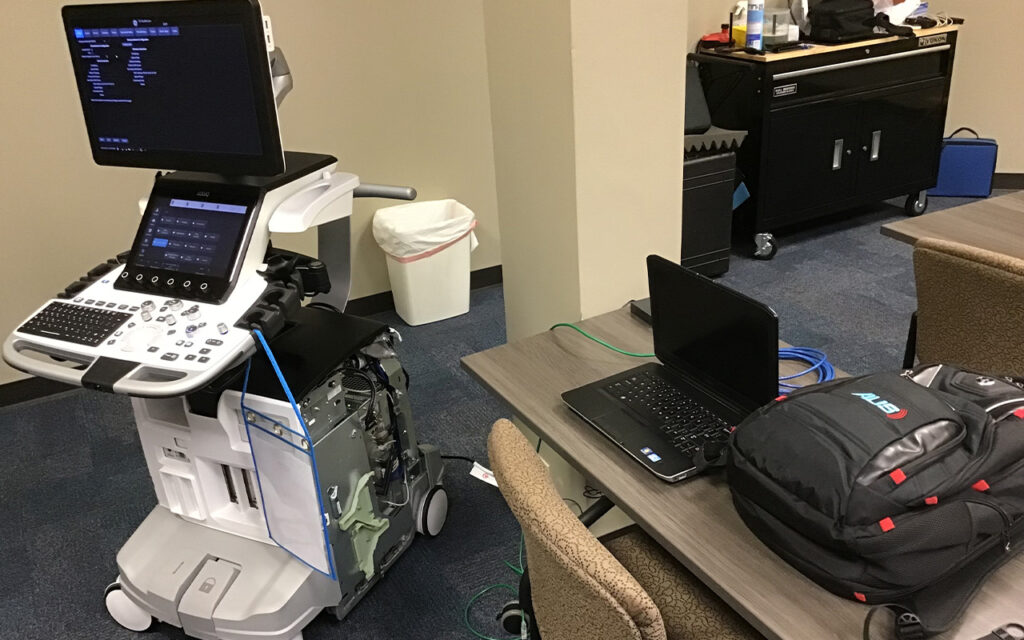
We rely on some basic tools that are available at little to no cost. They are invaluable when it comes to troubleshooting network problems. The first is a network switch which has activity and connectivity lights on it. These lights indicate network speed, network connectivity and network activity. This is a quick and easy way to determine if a network port is viable. Another simple tool for troubleshooting is carrying a crossover and network cable. Crossover cables are needed when connecting directly from your laptop computer to the ultrasound system computer. If used with a managed switch, a crossover cable is not needed. Please keep in mind that some lower cost switches are not managed. Carrying these extra cables can also help eliminate a damaged cable as the culprit for loss of connectivity. I also carry a short network cable and breakaway connector that I can add to the customer system to prevent damage to the system or cable. This proves invaluable on systems that are taken portable routinely. An indispensable tool is a laptop computer. These are routinely carried by field service engineers and are available to biomedical engineers. There are many uses for a laptop computer, such as pinging a network outlet to confirm an active network, testing the customers network cable and making sure the ultrasound system can send data to the destination device. Laptops also give us access to command-line utilities. These command-line utilities include tools such as ipconfig, ping and netstat. Commands such as these allow us to determine if the network is reachable, provide detailed information about the computer’s network settings and monitor the different connections on a network. These are just a few examples of command line utilities, but you can get a comprehensive list by searching on the web. Keep in mind, when using command-line tools you may need administrative privileges.
Which brings me to the last category … applications software. You can download a large selection of applications to aid in your ability to gather a variety of useful information. Many of them are freeware. An example of this is Hiren’s. We can use Hiren’s utilities to obtain the MAC address on ultrasound systems or see the file structure on a hard drive. Another application available is a DICOM emulator. There are a variety of emulators available that provide different options. In your search, make sure to choose one that meets your needs. There are some very capable emulators available, but you may have to pay to use them. For our purpose, we chose K-PACS, which is a free download and does everything we need. The intent of a DICOM emulator is to create a duplicate PACS destination device on your laptop with the same network information and see if the ultrasound system can send images to the laptop. If the image transfer is successful, it indicates that something beyond the system is not working. If not, then it is time to start looking at settings, software corruption or hardware failure. Another category of this is DVTK, an application that specifically verifies worklist networks. When using applications to interface with your ultrasound systems make sure that you are aware of the age of your equipment. Attempting to use Hiren’s for Windows XP on a new generation system running Windows 10 is an example of an application that will not work.
In short, these are just a few of the issues that you will run into while maintaining your ultrasound systems. The list is far from all-inclusive, but it gives some guidance on where and how to complete an initial setup of your network and troubleshoot your system when its network fails. Please don’t hesitate to contact us regarding any of your ultrasound needs.
– Jim Rickner is the director of service and training at Advanced Ultrasound Systems.
– Christopher Wright is a field services engineer at Advanced Ultrasound Systems.